
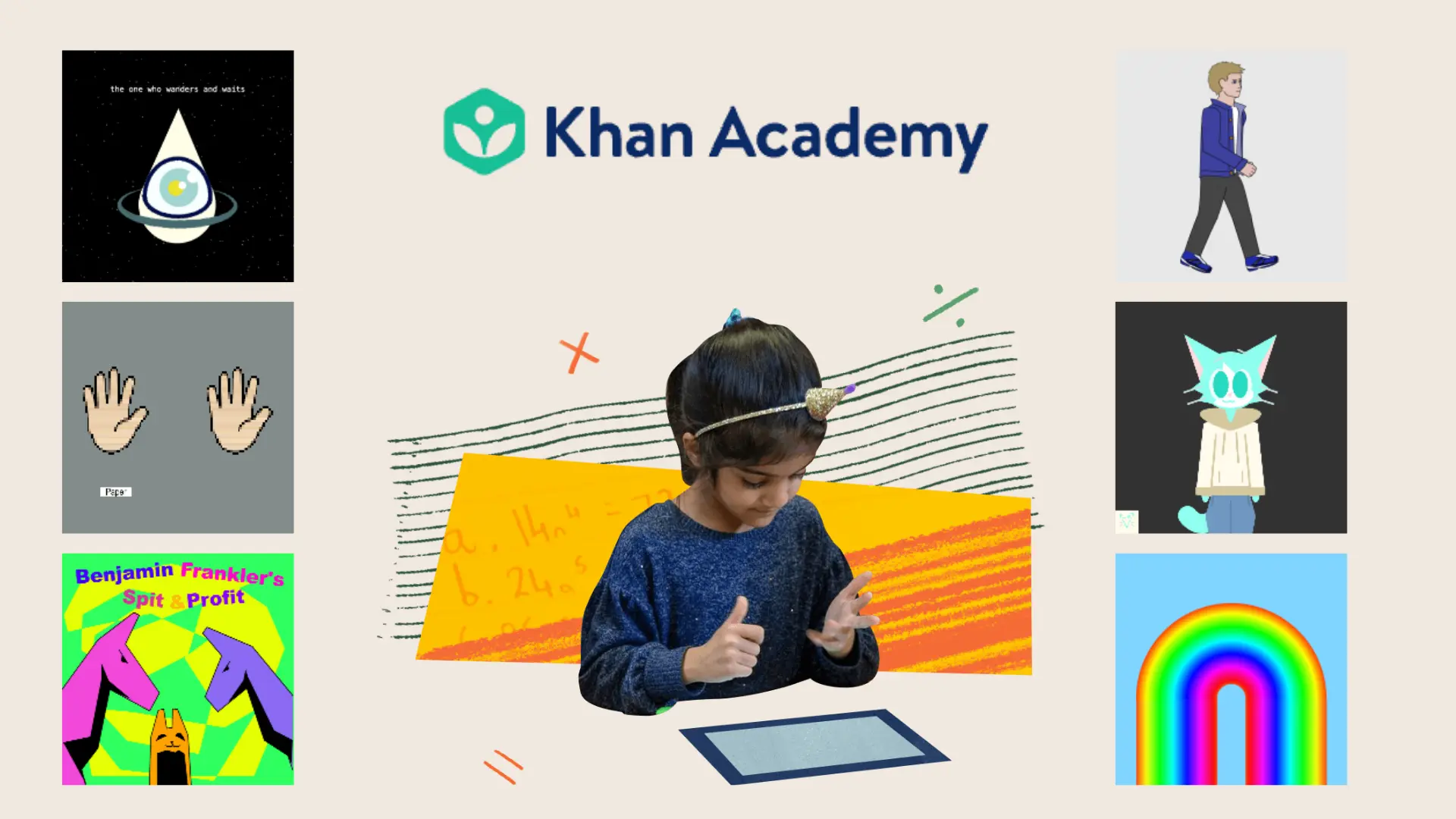

Scrolling through Khan Academy’s Browse Projects section feels like stumbling into a creative coding community where everyone’s building something worth seeing.
Learners come here for inspiration, to borrow ideas, and to quietly figure out what’s possible when code meets curiosity.
Seeing what others have built has a way of pushing your own skills forward faster than any tutorial.
Read on for everything worth knowing about using Browse Projects and making it work for your learning.
Khan Academy Browse Projects is a Space Built for Learners
Khan Academy’s Browse Projects is a community-driven space inside the Computing section where learners share interactive programs, games, animations, and websites.
Unlike static tutorials, it puts real, peer-built work front and center.
Projects are organized by Hot, Recent, and Popular categories, making it simple to find what’s trending, what’s newly uploaded, or what the community keeps coming back to.
Every project is clickable and open, meaning you can run the code, study how it was written, and use it as a starting point for something of your own.
How Does Khan Academy Browse Projects Work?
Using Browse Projects is straightforward, and that simplicity is a big part of what makes it so useful for learners at any level.
- Open any project directly in the browser and run it instantly, no downloads or setup needed.
- Read through project descriptions to understand what the creator was building and why.
- View the full source code behind any project to see exactly how it was written.
- Study how others structure their code to pick up techniques that textbooks rarely show.
- Create a spin-off to modify an existing project and make it your own.
Every one of these features feeds into the same idea: learning works best when you can see real work, take it apart, and build on it.
Types of Projects You Can Find on Khan Academy
Browse Projects spans a surprisingly wide range of work, from simple animations to fully built websites.
Go through this quick overview before we get into the details.
Project Type | Difficulty | Time to Build | Cost |
|---|---|---|---|
Beginner to Advanced | A few hours to several days | Free | |
Beginner to Intermediate | A few hours to a couple of days | Free | |
Intermediate to Advanced | One day to a week | Free | |
Beginner to Intermediate | A few hours to several days | Free |
1. JavaScript Games
JavaScript games are some of the most popular projects on the platform, and it’s easy to see why. They’re visual, interactive, and genuinely satisfying to build.
Platformers
Platformer projects are a go-to for learners who want to understand how movement works in code. They typically involve a character that jumps, runs, and collides with platforms, all built using JavaScript and ProcessingJS.
Studying a platformer teaches you how game loops work, how to handle keyboard inputs, and how to manage on-screen physics in a way that feels responsive and real.
Puzzle Games
Puzzle game projects tend to be logic-heavy and satisfying to pull apart. They cover grid-based layouts, win and loss conditions, and the kind of structured thinking that makes code feel purposeful.
For learners who want to sharpen their conditional logic and get comfortable with user interaction, puzzle games offer a hands-on way to practice without the pressure of building from scratch.
Arcade-Style Projects
Arcade projects are fast-paced builds centered around scoring, collision detection, and increasing difficulty. They are ideal for learners who want to see how variables, loops, and real-time interaction come together in a single program.
Spinning off an arcade game is one of the quickest ways to go from understanding individual concepts to seeing how they function as a connected, working system.
2. Animations and Visual Art
Visual projects on Browse Projects range from short character animations to fully interactive artwork, making this a favorite category for creatively-minded learners.
Character Animations
Character animation projects are a natural starting point for learners who want to bring storytelling into their code. They typically involve frame-by-frame movement, layered shapes, and scene transitions, all built within the draw loop.
Working through one teaches you how to control timing, stack visual elements, and create the kind of fluid motion that makes a program feel alive rather than static.
Interactive Artwork
Interactive artwork projects respond to mouse movement, clicks, or keypresses. They often involve dynamic color logic and generative design, where the visual output shifts in real time based on user input.
For learners who find traditional coding exercises dry, interactive art offers a genuinely engaging way to build the same foundational skills.
Storytelling Projects
Storytelling projects combine narrative with code, using scene sequencing, dialogue displays, and user-driven progression to create something that feels more like an experience than a program.
They are useful for understanding how to manage program states and structure multi-scene builds. Learners who work through a storytelling project come away with a clearer sense of how conditionals and logic flow work in practice.
3. Simulations and Visualizations
This category tends to attract learners who are as curious about concepts as they are about code, with projects that make abstract ideas visible and tangible.
Physics Simulations
Physics simulation projects bring real-world forces like gravity, velocity, and friction into code. Pulling one apart shows you how math and motion connect, and how variables can be used to build systems that evolve dynamically.
For learners who want to see the practical side of programming, physics simulations make abstract logic feel grounded and purposeful.
Mathematical Visualizations
Mathematical visualization projects translate formulas and equations into visual output, covering everything from geometric patterns to algebraic graphs.
They are particularly useful for learners who struggle to connect abstract math with real meaning, since seeing a formula rendered as a moving, interactive visual tends to make it click in a way that a textbook rarely does.
Educational Tools
Educational tool projects are built to explain something clearly, whether that is a quiz, an interactive explainer, or a concept-driven mini-app. They are ideal for learners who want to build something genuinely useful.
Working through one teaches you how to structure user flows, manage input and output thoughtfully, and design with clarity in mind, skills that carry over directly into real-world development work.
4. HTML and CSS Websites
HTML and CSS projects bring a different energy to Browse Projects, closer to web design than traditional programming, and ideal for learners building toward front-end skills.
Personal Websites
Personal website projects are a natural first build for learners stepping into HTML and CSS. They cover page layouts, typography, color schemes, and the kind of structural thinking that makes a site feel cohesive.
Studying one gives you a clear sense of how semantic HTML and CSS styling work together, and how small decisions around spacing and hierarchy can make a significant difference to how a page reads visually.
Travel Pages
Travel page projects are a creative, low-stakes way to practice layout and design without the pressure of building something functional.
They typically involve image placement, section-based layouts, and descriptive content formatting, making them ideal for learners who want to get comfortable with containers and spacing before moving on to more complex builds.
Recipe Books
Recipe book projects are ideal for learners who want to practice formatting content clearly, working with nested HTML elements, and applying consistent styling across a structured, content-rich build.
The repetitive structure of a recipe page also makes it easier to develop consistency in your styling, since you’re applying the same rules across multiple similar sections throughout the project.
Interactive Web Pages
Interactive web page projects sit at the intersection of HTML, CSS, and JavaScript, making them the most technically layered category. They typically involve buttons, hover effects, and simple scripting that bring a static page to life.
For learners who have a handle on the basics and want to take the next step, spinning off an interactive web page project is one of the most effective ways to see how the three languages work together in a real build.
What Can You Learn by Browsing Khan Academy Projects?
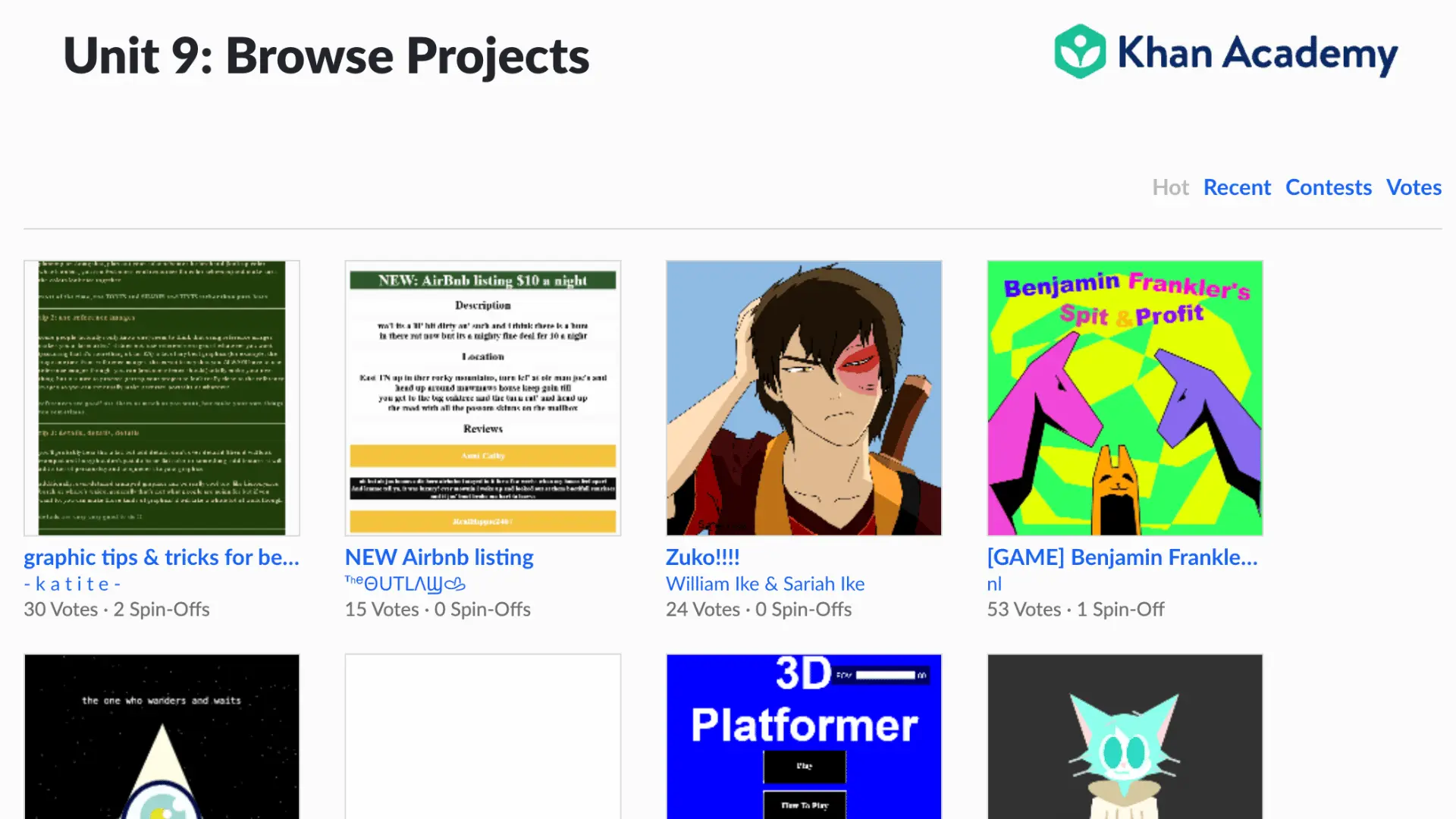
Browsing real projects teaches you things that structured lessons often skip. You see programming logic in action, with variables, loops, functions, and objects working together inside something that actually runs.
From there, you start picking up on problem-solving patterns, how experienced learners organize their code, and work through bugs.
UI layouts and interactive builds quietly sharpen your eye for design decisions that no tutorial spells out.
And creative projects bring animation techniques and visual storytelling into the mix, making the whole experience feel less like studying and more like being let in on something.
How to Find High-Quality Projects on Khan Academy?
Not every project on the platform is worth your time, but the good ones are easy to spot once you know what to look for.
- Start with the Popular and Hot categories to see what the community keeps coming back to.
- Look for projects with a high number of spin-offs, a reliable sign of educational value and engagement.
- Browse contest entries for some of the most technically ambitious and creatively refined work on the platform.
- Follow experienced creators to build a steady stream of advanced, well-crafted projects worth learning from.
The more intentional you are about what you click into, the faster your own skills tend to move.
Using Browse Projects to Improve Your Coding Skills
The real value of Browse Projects shows up when you move from watching to doing.
- Start by reading the code carefully before changing anything, understanding what each part does and why.
- Then make small modifications, swap out graphics, tweak gameplay, or add a feature that was not there.
- Once you have gotten enough clicks, keep building your own version from scratch using what you have absorbed.
Over time, the projects you create become a natural coding portfolio, a record of how far your skills have come without any extra effort to document it.
Popular Project Ideas Inspired by Khan Academy Browse Projects
Browse Projects has a way of surfacing ideas you would not have thought of on your own.
Here are some of the most popular builds worth drawing inspiration from.
Project Idea | Key Concepts | Skill Level |
|---|---|---|
Mini Games | Scoring, collision detection, keyboard interaction | Beginner to Intermediate |
Interactive Quizzes | Conditionals, user input, score tracking | Beginner |
Physics Simulations | Gravity, velocity, force-based movement | Intermediate to Advanced |
Drawing Applications | Mouse input, dynamic color, canvas interaction | Intermediate |
Personal Websites | Page layout, typography, CSS styling | Beginner |
Data Visualizations | Charts, graphs, dynamic data rendering | Intermediate to Advanced |
Common Challenges When Browsing and Learning from Projects
Browsing other people’s projects is genuinely useful, but it comes with a few pitfalls that are worth knowing about before you start.
- Advanced code can be difficult to follow at first, especially when projects use techniques or structures you have not encountered yet.
- Large programs with many moving parts can feel overwhelming, making it hard to know where to start reading or what each section is actually doing.
- Copy-paste learning is an easy habit to fall into, and it tends to slow progress rather than build real understanding.
- Turning someone else’s work into original output takes deliberate effort, moving from studying a project to building something new with what you have learned.
None of these challenges are dealbreakers. Knowing they exist is usually enough to keep you from falling into them.
Khan Academy Browse Projects vs. Other Coding Platforms
Khan Academy is far from the only platform with a community project library, but a few things set it apart.
Here is how it stacks up against some of the most widely used alternatives.
Feature | ||||
|---|---|---|---|---|
Beginner Friendly | Excellent | Excellent | Good | Good |
View Source Code | Good | Good | Excellent | Excellent |
Spin-Off Feature | Excellent | Excellent | Limited | Limited |
Interactive Learning Courses | Excellent | Limited | None | Limited |
Community Projects | Good | Excellent | Good | Good |
Frequently Asked Questions (FAQs)
Can I Edit Projects Created by Other Users?
You cannot edit another user’s project directly, but you can create a spin-off, your own copy of the project that you are free to modify however you like. The original stays untouched while you work with your own version.
What Programming Languages are Used in Khan Academy Projects?
Most projects on the platform use JavaScript and ProcessingJS, while the HTML and CSS sections use standard web languages. All of them run directly in the browser with no setup required.
How Do Spin-Offs Work on Khan Academy?
Clicking the spin-off button on any project creates a personal copy in your account, with the full source code ready to edit. Any changes you make only affect your version, leaving the original project completely intact.
Can Beginners Learn Coding by Browsing Projects?
Browsing projects is one of the most beginner-friendly ways to learn, since you are seeing real code in context rather than isolated exercises. Starting simple and working up gradually makes the process feel manageable.